Showing posts with label Ruby. Show all posts

Wednesday, March 21, 2012

Installing PostgreSQL 9.1.3 on Mac OS X Lion

Unsatisfied and undaunted by the foreboding discussion on installation troubles ("PostgreSQL 9.1 Installer Fails on OS X Lion"), I decided to follow the official PostgreSQL instructions to install the software from source. All so that I could build Ruby on Rails apps to be deployed to Heroku.

Note: PostgreSQL 9.0.5 appeared to have been bundled with my Lion installation, as seen with pg_config before installing 9.1.3. But I wasn't sure how well it worked since Apple provides zero documentation on this bundled installation, and initdb was not located in a known path.

So, in short, here are the steps I followed to install PostgreSQL 9.1.3 on Mac OS X Lion 10.7.3 from the source code.

# Make sure you have the latest version of
# GNU Make for Mac OS X. This can be downloaded
# through Xcode 4.3 by installing the Command
# Line Tools.

# Download the source code from the PostgreSQL
# website, and start this procedure in the
# expanded directory containing the source files.

./configure
make
sudo make install

# At this point, assuming installation was
# successful, create a new user to serve as the
# unprivileged user that will own the server
# process.

# Open System Preferences to create a new user.
# New Account:  Standard
# Full Name:    PostgreSQL Agent
# Account name: postgres

cd /usr/local/pgsql/
sudo mkdir data
sudo chown postgres data
sudo mkdir log
sudo chown postgres log

# At this point, we're done with configuration
# and ready to start the server process.

sudo su - postgres

# The following commands will be run as the
# PostgreSQL Agent user.

cd /usr/local/pgsql/
bin/initdb -D data/
bin/postgres -D data/ >log/logfile 2>&1 &

# To verify that the server is working properly,
# let's create a test database and see whether
# we can connect using the interactive terminal.

bin/createdb test
bin/psql test

If all went well, you should see something like the screenshot below.


Finally, we can move on to the fun stuff!

Friday, March 2, 2012

Installing Ruby 1.9.2 on Mac OS X Lion 10.7.3

A few simple steps to get Ruby 1.9.2 up and running on Mac OS X Lion 10.7.3:
  1. Download Xcode from the App Store.
  2. Run Xcode and open the app's Preferences.
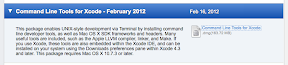
  3. Open the Downloads tab, then download and install Command Line Tools for Xcode.
  4. Download and expand Ruby 1.9.2 (stable) source from the official Ruby website.
  5. Launch the Terminal app.
  6. Change to the directory containing the expanded Ruby source code.
  7. $ ./configure
  8. $ make
  9. $ sudo make install

Then, to use the newly installed version of Ruby (instead of the pre-installed version that came with Lion):
$ export PATH=/usr/local/bin:$PATH

To summarize the results... Before installing Ruby 1.9.2:
$ irb -v
irb 0.9.5(05/04/13)
$ ruby --version
ruby 1.8.7 (2010-01-10 patchlevel 249) [universal-darwin11.0]

After installing Ruby 1.9.2:
$ ruby --version
ruby 1.9.2p290 (2011-07-09 revision 32553) [x86_64-darwin11.3.0]
$ irb -v
irb 0.9.6(09/06/30)

Thank you, Mike Clark, for pointing out that with Lion I now have to download Command Line Tools for Xcode in order to compile stuff.


Thank you, Ubuntu community, for giving instructions on how to compile programs from source code.

... And finally, with no further ado, I present: the rant behind this post!

Programming an application is supposed to be difficult and require significant thinking. Installing the compiler or interpreter or whatever package is necessary to run the code should be easy.

Maybe it's just me... but why in the world did it take me 2 hours and so much frustration to get Ruby setup on my Mac? Ruby's website says, "Compiling from Source is the standard way that software has been delivered for many, many years. This will be most familiar to the largest number of software developers." Thanks. For assuming incorrectly that I know how to "compile from source" and providing zero instructions for how to do that on my OS.